
Meta Description: Apple’s new Digital ID in Wallet lets travelers use their iPhone or Apple Watch to verify identity securely and easily at TSA checkpoints. Learn how it works and why it’s the future of digital travel.
Apple Makes Traveling Easier with Digital ID
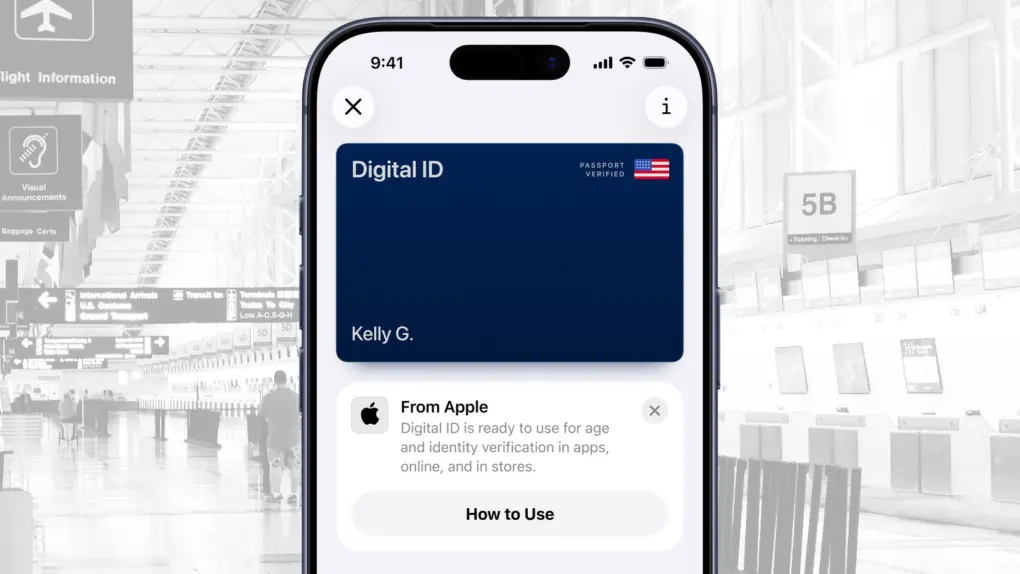
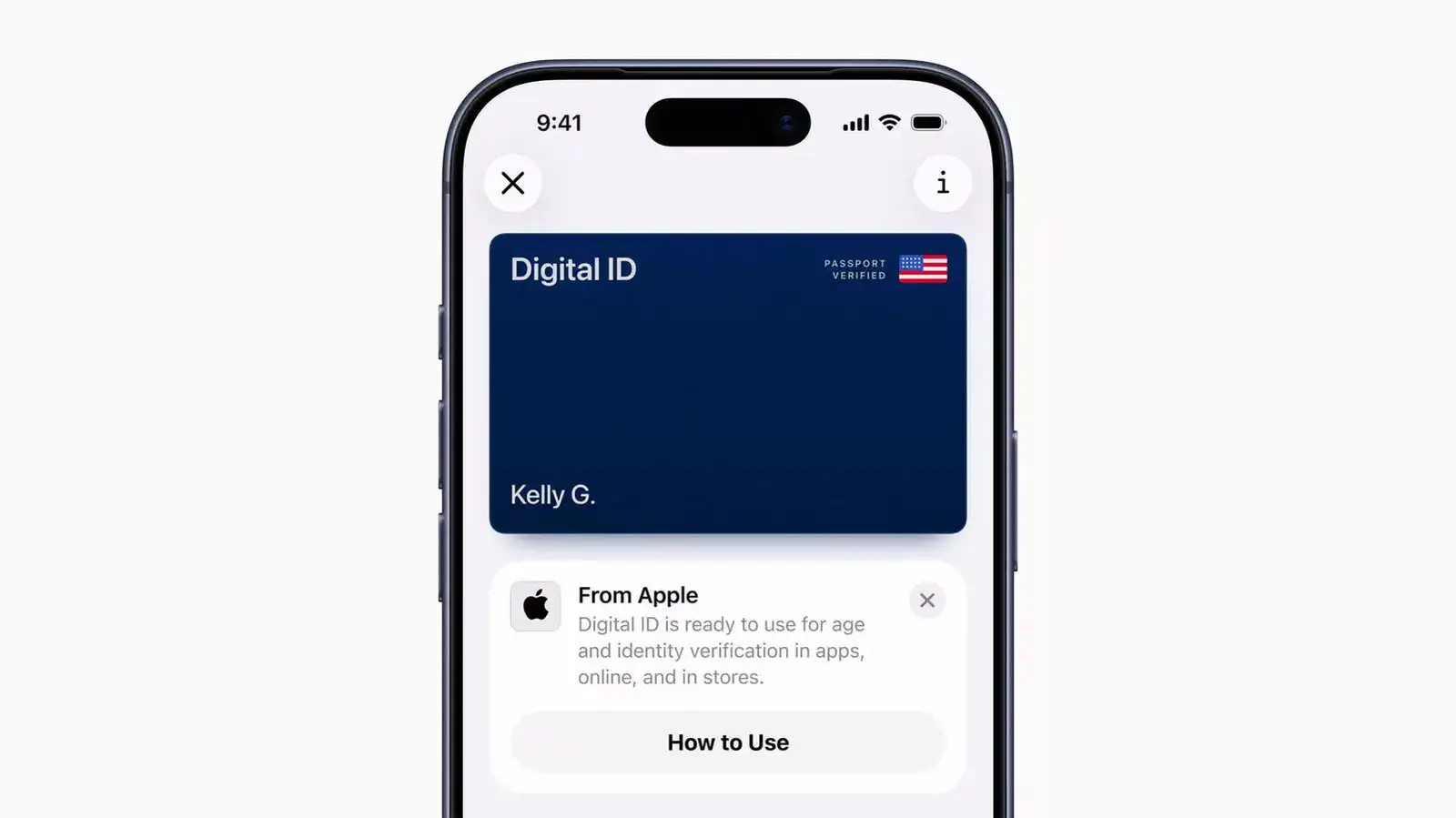
Apple is making travel simpler and safer with its new Digital ID feature in Apple Wallet. This update lets users create a digital version of their ID using information from their U.S. passport, so they can verify their identity directly from their iPhone or Apple Watch — no need to dig through bags for a physical card.
At launch, Digital ID will be available at over 250 TSA checkpoints across the United States, making airport security checks faster and more convenient for domestic travelers. It’s Apple’s latest step in bringing important documents to your device, combining technology, security, and everyday practicality.
What Is the New Digital ID Feature?
The Digital ID in Apple Wallet gives users a secure, private, and easy way to prove who they are. It’s especially helpful for those who may not have a REAL ID-compliant driver’s license or state ID.
However, it’s worth noting that Digital ID isn’t a replacement for your physical passport and can’t be used for international travel or border crossings. It’s built mainly for domestic identification, starting with air travel inside the U.S.
How to Add a Digital ID to Your iPhone or Apple Watch
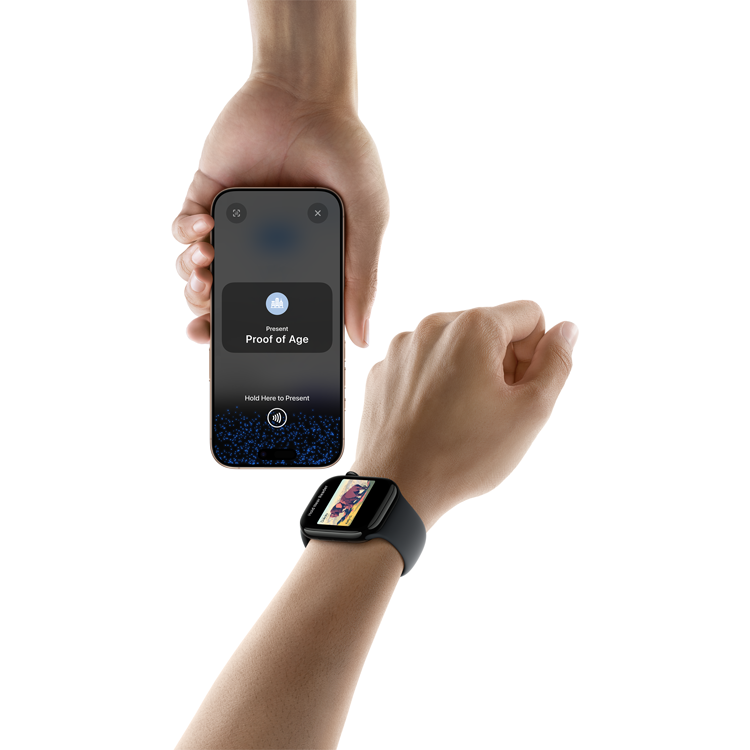
Adding your Digital ID to Apple Wallet is a simple and secure process:
- Open the Wallet app and tap the Add (+) button.
- Select Driver’s License or ID Cards, then choose Digital ID.
- Use your iPhone to scan the photo page of your U.S. passport.
- Hold your iPhone over the passport’s embedded chip for verification.
- Take a selfie and complete a few quick head movements for security checks.
- Once verified, your Digital ID is ready in Apple Wallet.
Where You Can Use Digital ID Right Now
Currently, Digital ID is accepted at TSA checkpoints in more than 250 U.S. airports. To present it, just double-click your iPhone’s side or Home button, select Digital ID, and hold it near the reader.
Before sharing, you’ll see exactly which information is being requested — and you can approve it using Face ID or Touch ID. Apple plans to expand usage to businesses, apps, and online identity verification in the near future.
Digital ID vs. Traditional IDs – Which Offers More Convenience?
| Feature | Apple Digital ID | Physical ID / Passport |
|---|---|---|
| Portability | Stored in iPhone or Apple Watch | Must be carried manually |
| Security | Protected by Face ID / Touch ID | Can be lost or stolen |
| Data Privacy | Shares only required data | Exposes full details |
| Usage | Contactless at TSA checkpoints | Manual handover required |
| Travel Use | Domestic only | Domestic & International |
The Digital ID is not meant to replace traditional documents but to complement them — giving travelers more flexibility and security during routine identity checks.
Keeping Your Data Safe and Private
Apple has designed Digital ID with strong privacy and security measures. All ID data stays encrypted and stored locally on your device — not on Apple’s servers.
Only you can use your Digital ID, thanks to biometric verification via Face ID or Touch ID. You also get full control over what information is shared each time your ID is presented.
What’s Next for Apple’s Digital Identity Vision
With Digital ID, Apple is continuing its mission to simplify life through technology. The company already supports driver’s licenses and state IDs in 12 U.S. states and Puerto Rico, and it recently expanded its digital ID program to Japan.
As more organizations start accepting Digital ID, it could soon become the future standard for identity verification — combining convenience, privacy, and innovation into one seamless experience.