

In today’s fast-moving digital world, teams need tools that help them stay organized and work faster. monday.com project management software has become one of the most popular platforms for managing tasks, tracking progress, and improving team collaboration. It offers a simple interface combined with powerful features, making it useful for both small businesses and large organizations.
Whether you are handling daily tasks or complex workflows, monday.com helps teams plan, execute, and monitor work in one place.
What Is monday.com and How Does It Work?
monday.com is a cloud-based work management platform designed to organize projects visually. It allows users to create boards, add tasks, assign team members, and track deadlines easily. The drag-and-drop layout makes it beginner-friendly, while automation features help save time.
Teams can customize dashboards based on their needs. For example, marketing teams can track campaigns, while developers can manage product timelines. This flexibility is one of the biggest reasons behind the platform’s growing popularity.
Another key advantage is collaboration. Team members can leave comments, upload files, and receive instant updates, which reduces confusion and improves communication.
Key Features of monday.com Project Management
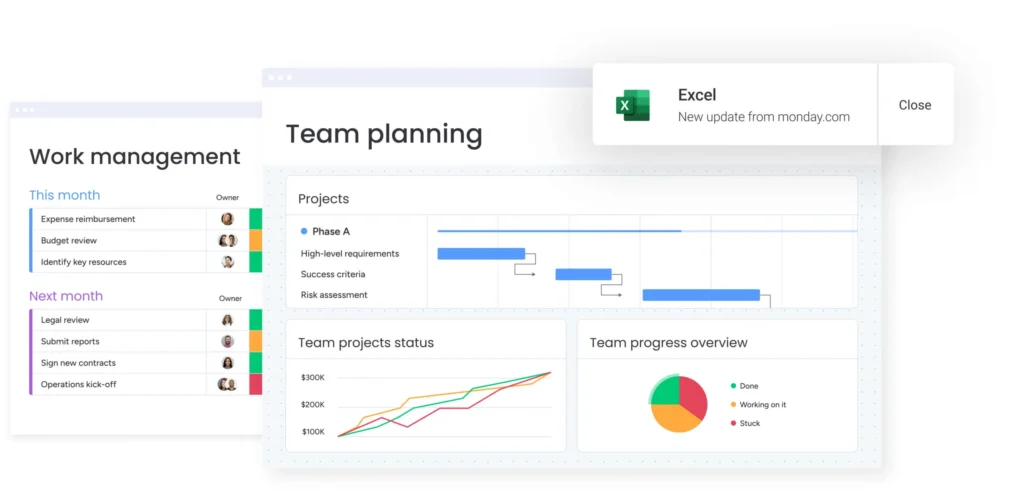
Here are some of the most useful features that make monday.com stand out:
- Visual Project Boards: Track progress using status columns and timelines.
- Automation Tools: Automate repetitive tasks to save time.
- Custom Workflows: Adjust boards based on team requirements.
- Team Collaboration: Share updates and communicate in real time.
- Integration Options: Connect with popular tools to improve workflow.
These features help businesses increase productivity without making processes complicated.
monday.com vs Other Project Management Tools
Many teams compare monday.com with other popular platforms before choosing the right tool. Below is a quick comparison:
| Feature | monday.com | Trello | Asana |
|---|---|---|---|
| Ease of Use | Very Easy | Easy | Moderate |
| Customization | High | Limited | High |
| Automation | Advanced | Basic | Advanced |
| Visual Dashboards | Strong | Basic | Strong |
| Best For | Teams of all sizes | Small teams | Medium to large teams |
While Trello is simple and Asana is structured, monday.com balances both simplicity and advanced functionality.
Benefits of Using monday.com for Teams
One of the biggest benefits of using monday.com project management tools is better organization. Teams can clearly see who is working on what and when tasks are due. This reduces delays and improves accountability.
The automation feature also helps teams focus on important work instead of repetitive tasks. Additionally, real-time updates keep everyone informed, which is especially useful for remote teams.
If you are exploring more productivity tools, you can also check our project workflow guide and team collaboration tips to improve overall efficiency.
Final Thoughts
monday.com is a modern and flexible project management platform that fits different industries and workflows. Its visual design, automation options, and strong collaboration tools make it a reliable choice for teams looking to work smarter.
For businesses that want a balance between simplicity and powerful features, monday.com project management is definitely worth considering.